Alt-key does not work from vncserver window
Issues
Alt-key does not work on Mac-keyboard
This may only be a temporary fix, and a Mac-only problem.
- Identify the keycode of your alt-key:
xev -event keyboardpress Alt. This will probably show double events, including Shift_L (probably keycode 50), check the keycode for the other events.
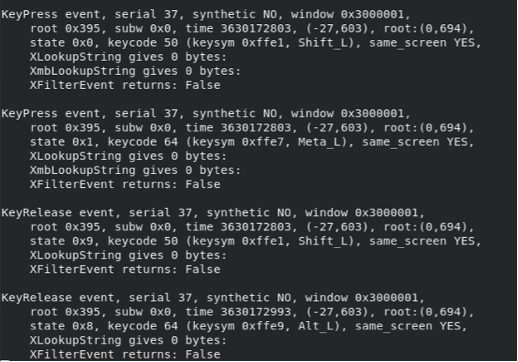
- Run
xmodmap -e "keycode your_keycode = Alt_L". - To make it automatic when you start your vncserver add it to your
.bashrc.
Example:
For some reason I had to change it twice, thus adding the following lines to .bashrc:
xmodmap -e "keycode 64 = Alt_L"
xmodmap -e "keycode 205 = Alt_L"