VNC black screen error
Issues
VNC shows a black screen error
You might experience a black screen with an error message when you first log in to a new VNC server.
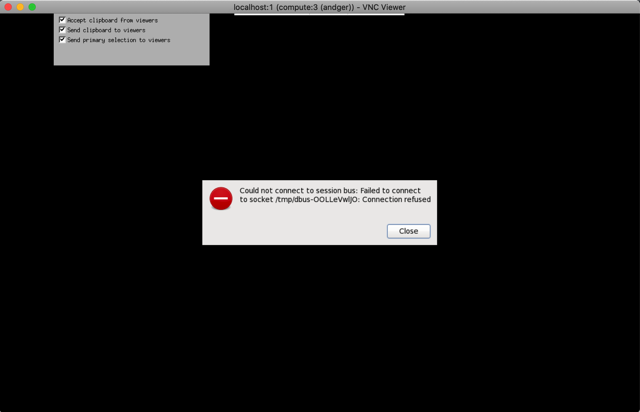
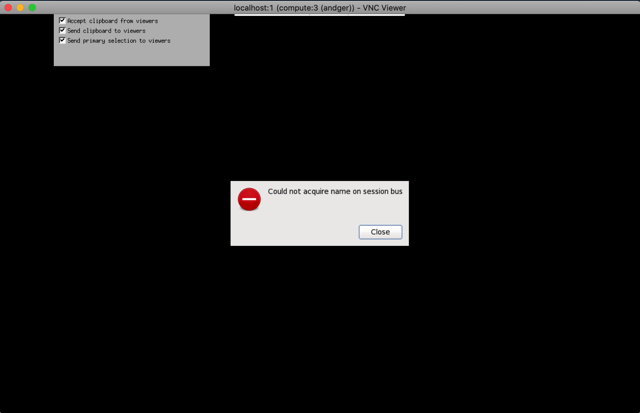
The error seems to be due to Anaconda or Python initiation, which messes with the VNC config in some way. The procedure below circumvents the problem.
Open PuTTY to connect to Compute as usual. Then in the terminal edit .bash_profile so it does not call .bashrc when you log in with SSH.
To edit the file:
- Type
vim .bash_profile. - Type
ito enter edit mode. - Replace the lines:
if [ -f ~/.bashrc ]; then
        . ~/.bashrc
fi
with
if [ -f /etc/bashrc ]; then
        . /etc/bashrc
fi
- Press
Escto exit edit mode and then type:wq!to exit.
You should now be able to open the VNC viewer. If not, try to kill the VNC server (vncserver -kill :X where X is your VNC number) and start a new VNC server.
With this fix Anaconda will only be started when you open a new terminal window in your VNC session. You do not need to modify .bashrc any more.