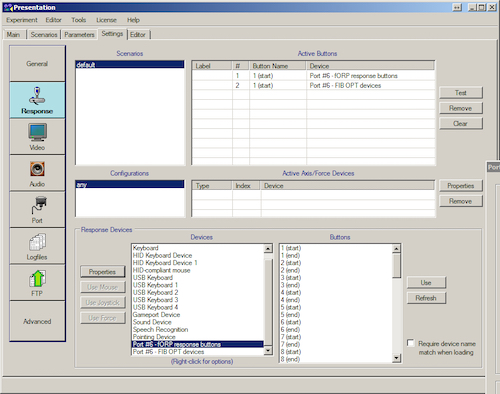
Setting up the response buttons
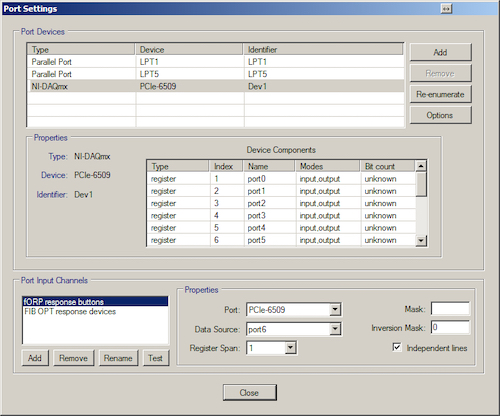
- Add the input ports you want to your experiment.
You need an input port which is port6 for the fORP-buttons response pads. Select the Response Device and configure the port settings.
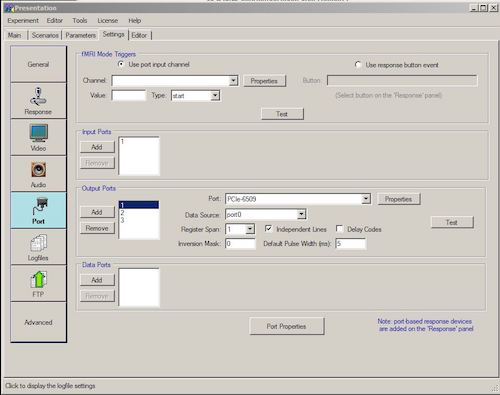
- Add output ports
Here port0 is Button pad 1 and port4 is Button pad 2
- Add response buttons
Here you need to add active buttons to the experiment, both from the Button pads and from the keyboard, should you need it.